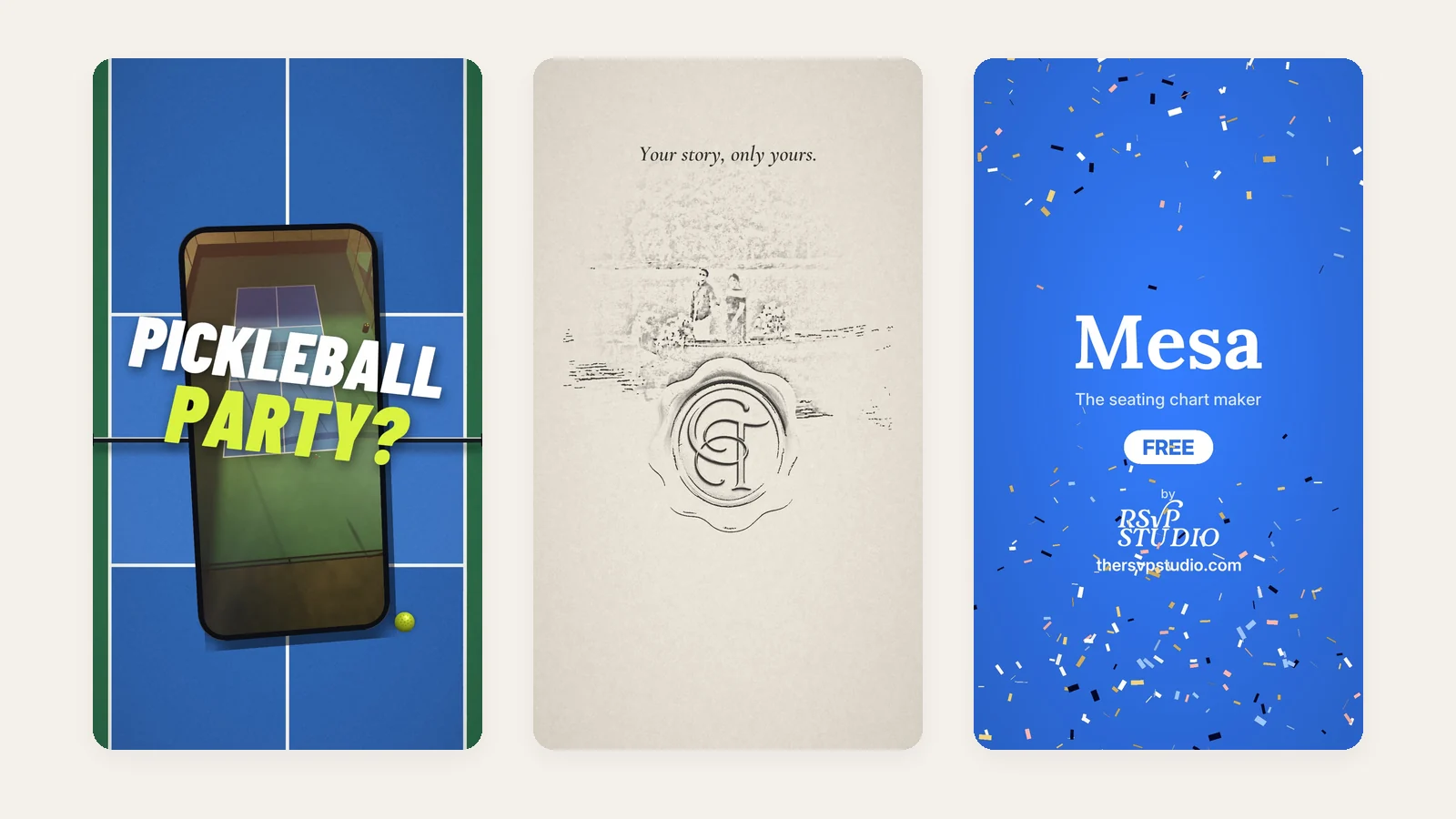
On November 2, 2026, we launched The RSVP Studio, our platform for event websites and digital invitations. A launch needs things that move. In one week we made four vertical reels and a four-slide launch carousel.
This post is how we make motion graphics, using that work as the example. It is the same process we use for brands in Cebu and across the Philippines who need Reels, video ads or a product walkthrough. The numbers are real. So are the mistakes.
Why short-form video, and why vertical
The Digital 2026 Philippines report counts 95.8 million social media user identities, an average of 33 hours and 50 minutes a week on social media, and 97.8% of internet users going online by phone. Your customer is holding a phone upright. The video should be shaped like the phone.
The platforms say the same thing. Meta recommends 9:16 video with audio, with key messages kept inside the safe zone, for Reels ads. TikTok asks for 9:16, sound, and the proposition in the first three seconds. None of that is taste. It is the shape of the screen and the length of a thumb.
The four reels
Each one had a single job:
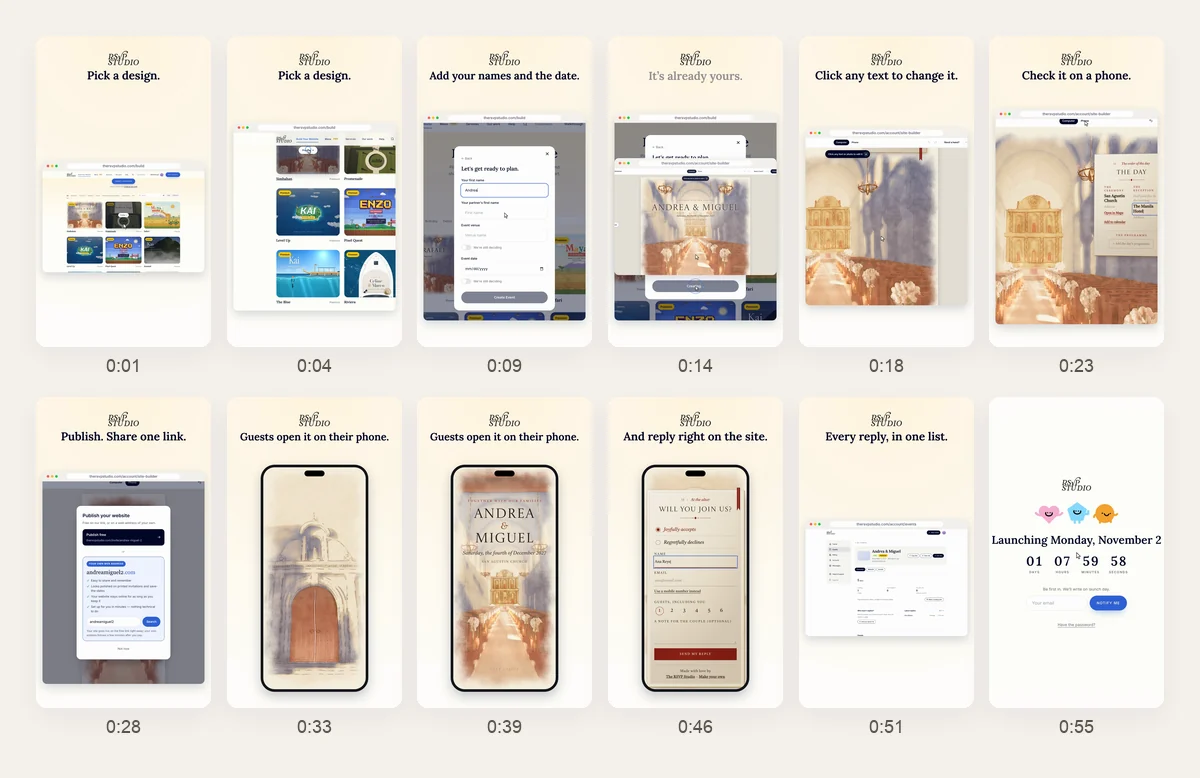
- The walkthrough (58 seconds, 9:16 and 4:5, 60 fps). Build an event website from gallery to published link, then watch a guest open it and reply. Posted the day before launch.
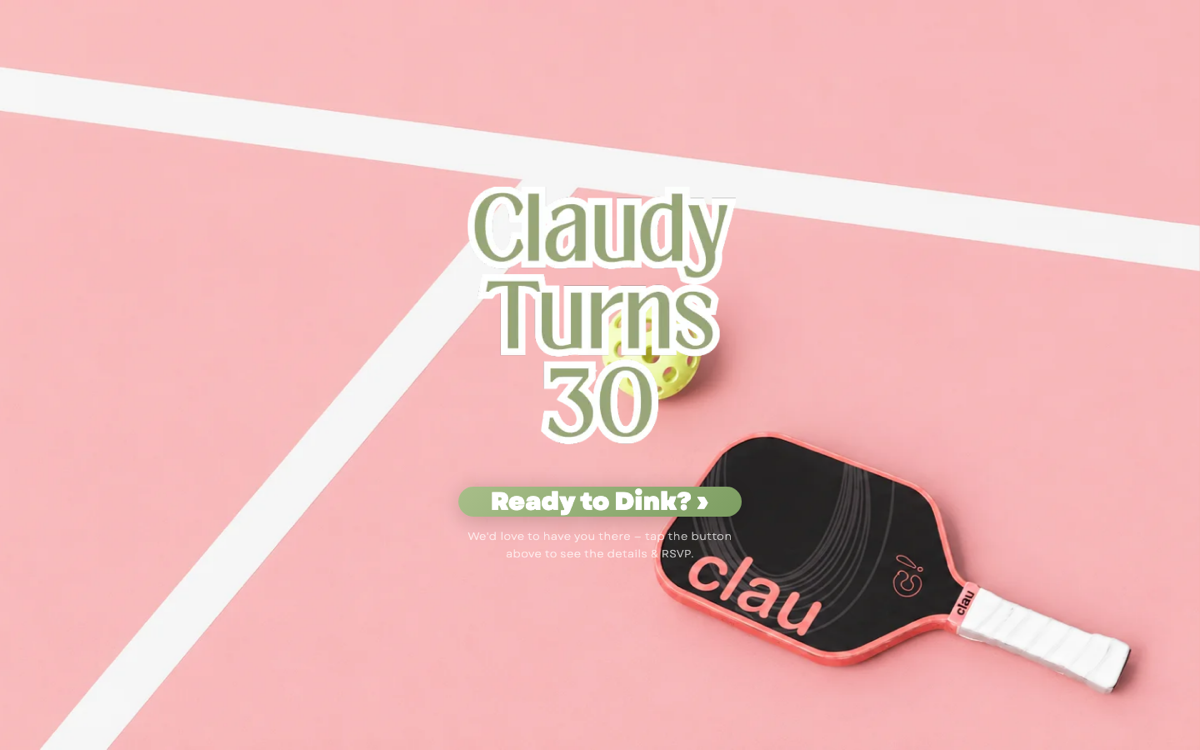
- The pickleball reel (20 seconds, 30 fps). Three pickleball designs on three courts seen from above. One ball is rallied between them, and every paddle hit whips the camera to the next design.
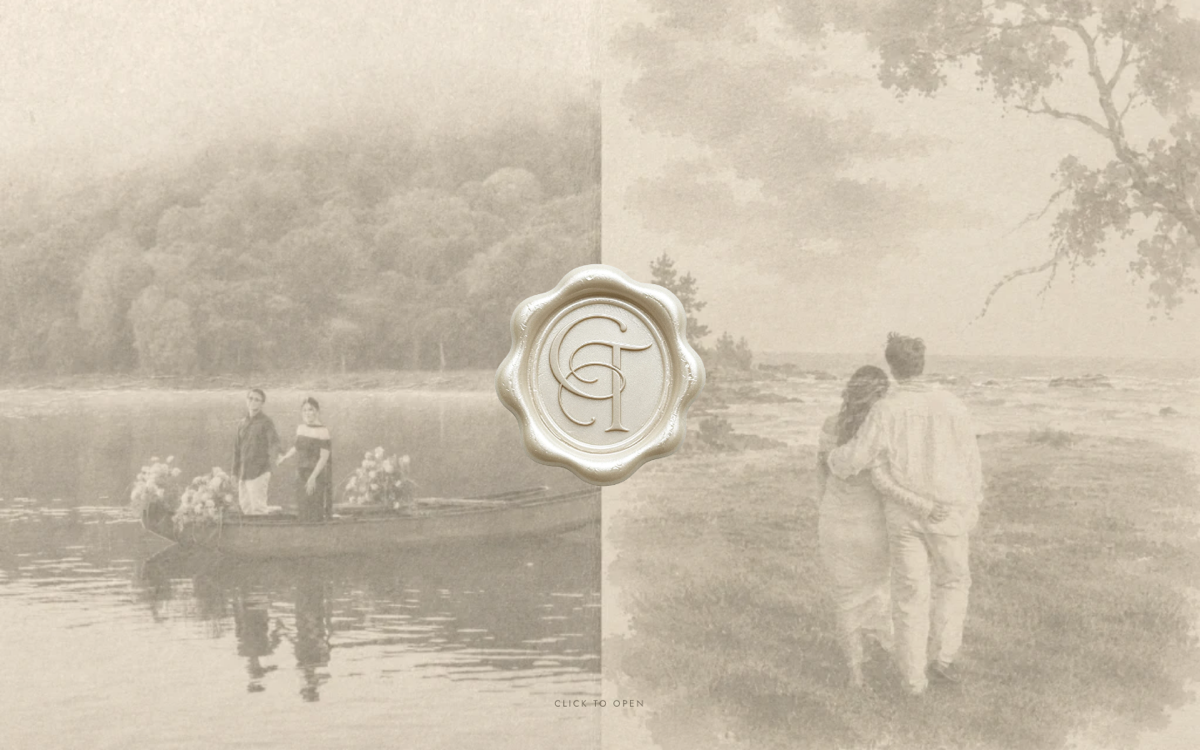
- The custom website reel (25 seconds, 30 fps). A pencil sketch of a couple’s wax seal and lake scene, drawn stroke by stroke, that washes into their real wedding website.
- The Mesa reel (42 seconds, 30 fps). An introduction to the free seating chart maker. One room, one camera, with the app’s screens rising out of the floor plan.
All four use real product. Nothing on a phone screen is a mock-up. We filmed the real site in a browser running five times slower than normal, so every frame of a fast interaction comes out clean. Then we built the reels in code and rendered them frame by frame.
Our process, step by step
Every motion job, from a 15-second Reel to a broadcast package, runs in the same order:
- Brief. One sentence on what the viewer should do or know at the end. If it needs two sentences, it is two videos.
- Script, written as spoken sentences. Even with no voice-over, the script sets the rhythm.
- Storyboard, built around one signature moment. Everything else is in service of it.
- Static design. Every frame that matters is designed as a still first, usually as layered SVG artwork, so motion has clean layers to move.
- Motion. Timing, easing and camera, cut to the script’s clock.
- Sound and voice-over. Music, effects and voice mixed to a consistent loudness.
- Exports. One master, then every size and format each platform or broadcaster asks for.
Script: write it the way a person says it
Our first cut of the Mesa reel ran 23 seconds and opened with lines like "77 guests. 1 seating chart." On a slide, that is copy. Read aloud, it sounds like nobody. We threw it out.
The rewrite was a script a person would say to a friend, voiced as one continuous take: "Paste your guest list into Mesa, however it’s typed." We transcribed the take to get the time of every word, then cut the picture to it. Hard cuts land on sentence starts. Captions show the full sentence being spoken.
“Short lines are fine. Stat fragments are not. If you would not say it out loud, it does not go in the voice-over.”
Storyboard: one signature moment
A reel can survive average scenes. It cannot survive having no moment people remember. So each storyboard starts from one.
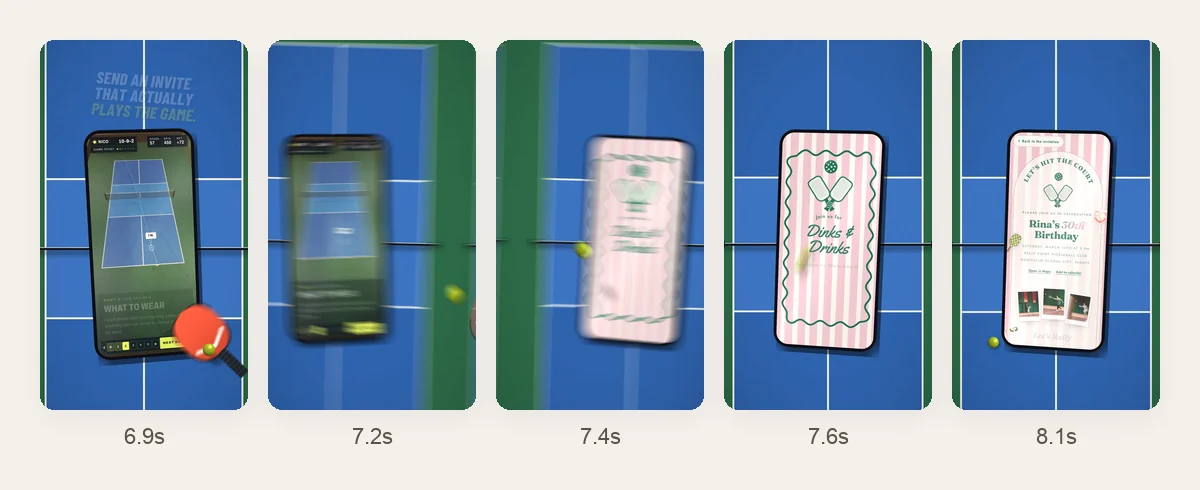
In the pickleball reel, it is the paddle hit. The ball crosses the court, the paddle swings in from off-frame, and the camera whips to the next phone with motion blur. The whole transition takes 1.2 seconds. It happens twice, then the reel ends on the three designs side by side.
In the custom website reel, the moment is the turn from sketch to real. The pencil draws the monogram loosely, then firmly, from 0.3 to 4.6 seconds, then the seal around it. The lake scene is sketched in like a time-lapse. At 10.6 seconds a sepia wash turns the drawing into the couple’s actual envelope page, and a tap opens their live site.
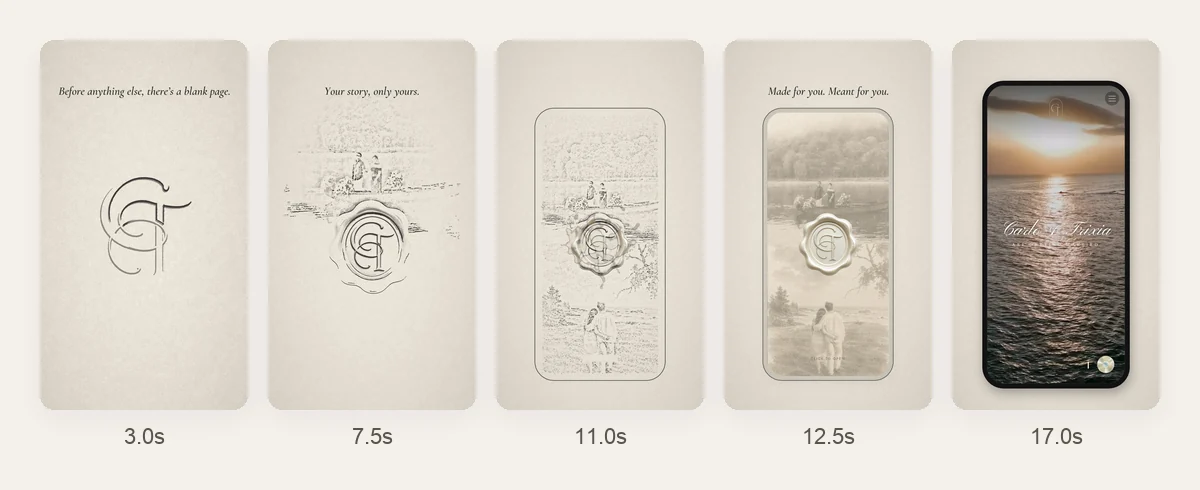
The sketch is not a filter. We traced the lines from their real page and gave every line a time to be drawn, in the order a hand would draw it. The pencil sound is generated from the same stroke timings, so you hear each line as it appears.
Static design: layers before motion
Motion goes wrong when it starts from a flattened image. Nothing can move independently, and every change means starting over.
The same rule holds for sponsor and broadcast graphics. Our designer builds every size as layered SVG statics: 4K 16:9, 9:16 and 1:1 title cards, popup banners and logo bugs. Broadcast specs often require the artwork to stay still, so the motion goes on top, in light rather than movement: glints, flashes and fades.
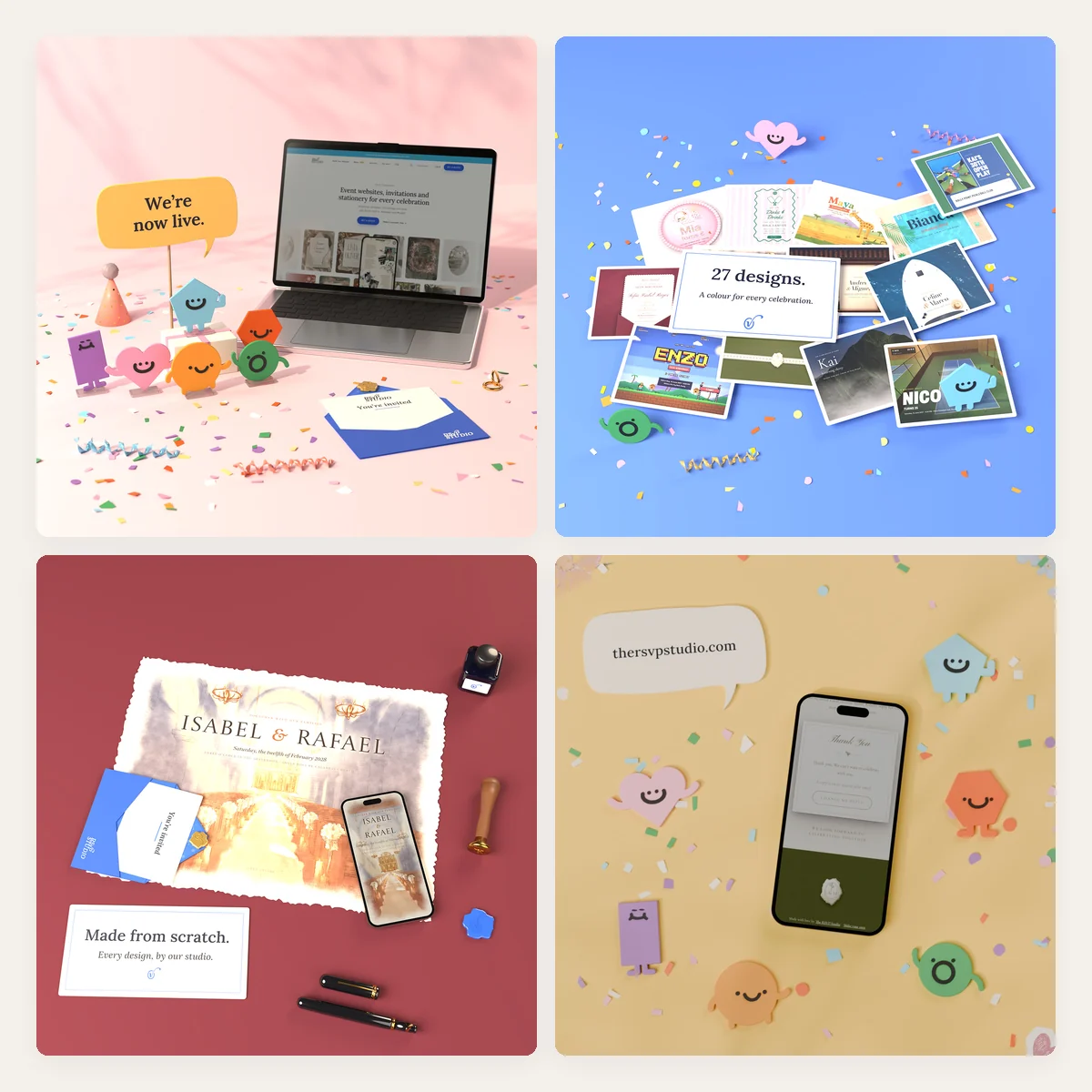
For The RSVP Studio, the statics were the product itself: the real designs, filmed off the live site. The launch carousel went further. We built it as 3D scenes in Blender, with paper characters on acrylic stands, props and the live site on a laptop screen, and animated the fourth slide.
Motion: be intentional about what the eye follows
The Mesa reel went through several versions in one day. One note on an early cut: "Scenes too zoomed in." Another: when Lola is dragged to a new table, the shot did not show where she was going.
The fix was a rule, not a tweak. Phones fill the width of the frame. Desktop dialogs are shown whole first, then the camera pushes in on what the voice names. The Lola shot holds the stage, the presidential table and table 7 at once. A dashed line shows her path, and a ring follows her and pulses when she lands.
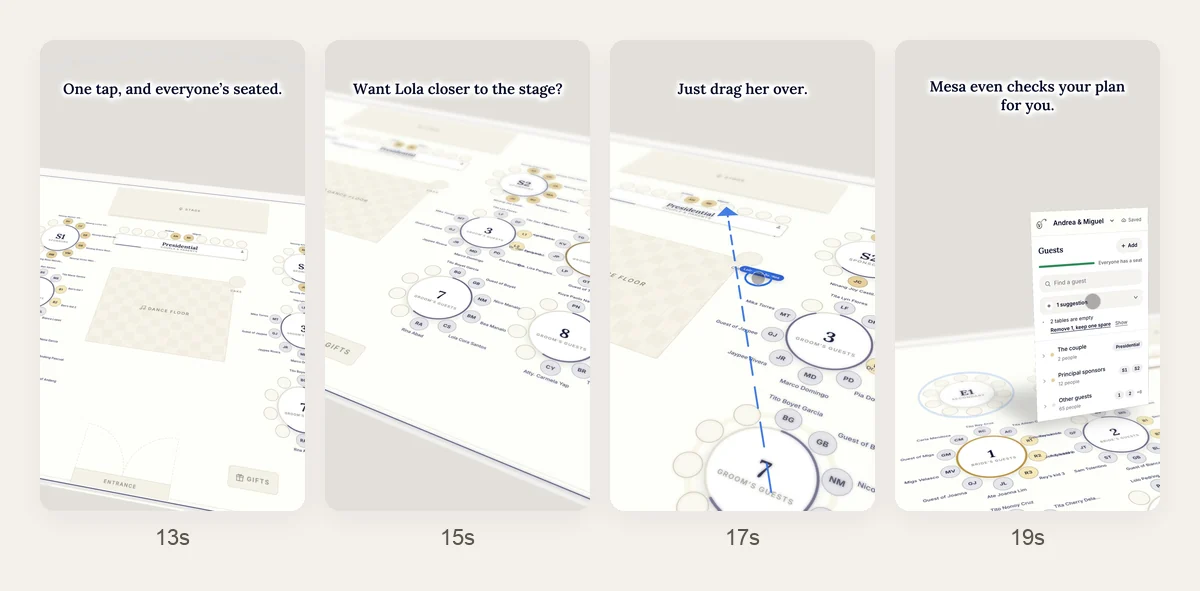
The final version keeps one camera in one room for the full 42 seconds. The plan is a floor in perspective. Each screen pops up from it like a pop-up book, next to the part of the room it is about, and folds back down. The finale floods the room blue for "It’s all free," with confetti.
Sound and voice-over
Voice-over is voiced as one take, then cut at its pauses and placed on the picture. In the pickleball reel, the line "Game plan. What to wear. What to bring." exposed a timing problem: the sections were not on screen when they were said. We moved the captions to 8.5, 9.4 and 10.35 seconds and sped up the scroll, so each section appears as it is named.
Music ducks 5 to 10 dB under the voice. Every reel is mastered to around -14 LUFS, so it plays at the same level as everything else in the feed. And every reel carries captions, because some people will always watch muted.
Exports: one master, every size
Swipe the table for more
| Deliverable | Frame size | Frame rate | File | Used for |
|---|---|---|---|---|
| Reel / TikTok / Shorts | 1080 × 1920 (9:16) | 30 fps; 60 fps for screen walkthroughs | H.264 MP4, about -14 LUFS | Organic posts and boosted ads |
| Feed video | 1080 × 1350 (4:5) | 60 fps | H.264 MP4 | Facebook and Instagram feed |
| Carousel slide | 1080 × 1080 (1:1), rendered larger | Stills; last slide animated | JPG, plus MP4 for the animated slide | Launch post |
| Reel cover | 1080 × 1920 | Still | JPG | Thumbnail on the profile grid |
| Broadcast title card | 3840 × 2160 (4K 16:9) | 25 fps | ProRes 4444 with alpha | On-air sponsor cards |
| Social title card | 9:16 and 1:1 | To the program’s spec | ProRes 4444 with alpha | The program’s own social posts |
| Popup banner and logo bug | To the broadcaster’s spec | To the broadcaster’s spec | ProRes 4444 with alpha | Overlays on the program |
Transparent overlays need an alpha channel. Apple’s ProRes 4444 family is the only ProRes codec that carries one, which is why broadcasters ask for it. Social video does not need transparency, so it ships as a normal MP4 with captions burned in.
What we learned
Notes we now apply to every motion job:
- Open on the payoff. A slow opening, like a scrolling list, loses the first three seconds you were given.
- Cut the picture to the voice, not the voice to the picture. Natural speech has its own rhythm, and forcing it breaks it.
- One swipe, one idea. Each beat holds long enough to read its caption, then moves. No beat carries two messages.
- Show the whole thing before you zoom. A viewer needs to know where they are before you show them a detail.
- Fake gestures look fake. A drawn finger tapping a screen looked fake, so we show taps as a screen-recording touch dot.
- Caption for sound-off, mix for sound-on. Both audiences are real.
Motion graphics for brands in Cebu and the Philippines
We are a small studio in Cebu. Motion work is done over messages and calls, so the brand can be in Cebu, Manila, Davao or abroad. If you already have a brand system, motion is built from it. If you do not, start with brand identity, because motion multiplies whatever it is given.
For the invitation side of this work, see digital invitations in Cebu and the pickleball evite that started the theme. For more of our work, see the portfolio. When you have something that needs to move, tell us about it.
Questions people ask
How much do motion graphics cost in the Philippines?
It depends on length, the number of sizes, whether the artwork and footage already exist, 2D versus 3D, voice-over and music, and how many revision rounds are included. A 20-second Reel built from a finished brand system costs far less than a 3D product film or a multi-size broadcast package. Send us the brief and we will quote it.
How long does it take to make a Reel or video ad?
If the brand assets and the product are ready, a 20 to 45-second Reel takes days, not weeks. Most of the calendar is review. Broadcast packages take longer, because every size is checked against the broadcaster’s spec before delivery.
What size should a Reel or TikTok video ad be?
9:16 vertical at 1080 × 1920, exported as an MP4. Keep text and logos inside the platform’s safe zone, so the caption and buttons do not cover them. We also deliver a 4:5 cut for the feed and a cover image when the post needs one.
Do I need a voice-over for a video ad?
Not always, but sound helps. Meta notes that Reels play with sound on by default, and TikTok recommends sound or music. We write the script as spoken sentences either way and caption every line, so the ad still works muted.
Can you deliver transparent video for broadcast or live streams?
Yes. Title cards, popup banners and logo bugs are delivered as ProRes 4444 with an alpha channel, at the frame size and frame rate the broadcaster sets, often 25 fps.
Do you only work with businesses in Cebu?
No. We are based in Cebu, but motion work happens over messages and calls. We work with brands across the Philippines and overseas.
Sources
Topics
Explore Huna Creatives